![PCS-Black-icon-1.png]](https://processes.premiercrop.com/hs-fs/hubfs/PCS-Black-icon-1.png?width=35&height=40&name=PCS-Black-icon-1.png)
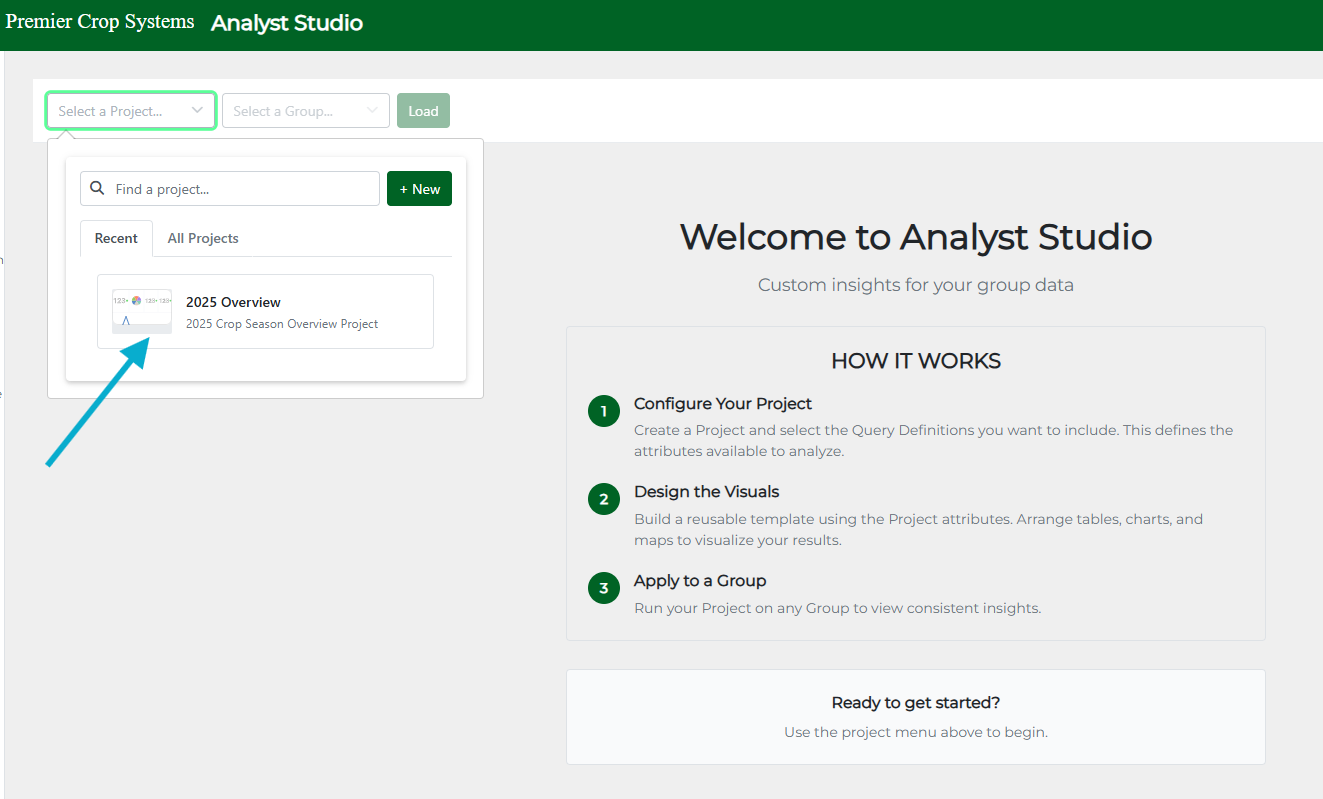
There are just 3 clicks required to get you viewing an existing project.
1. Select a Project:
2.Select a group to run the Project against. This can be easily changed once you're in a project as well.
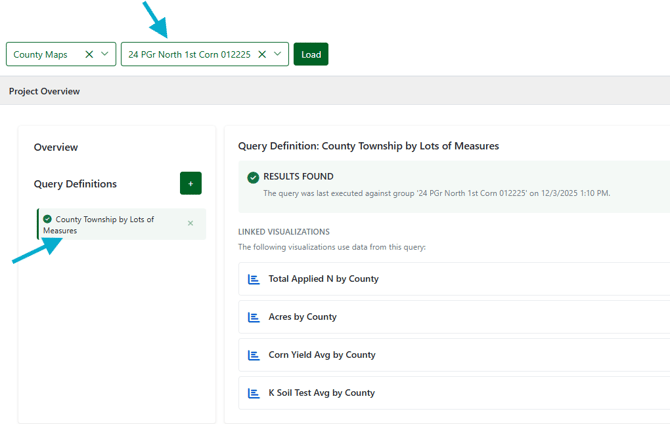
3. Click Load!
Once a group is chosen you can click on the 'Query Definition' to see which visuals are in the Project you chose. You can also add a Query Definition using the green "+" button if you want to include more queries.
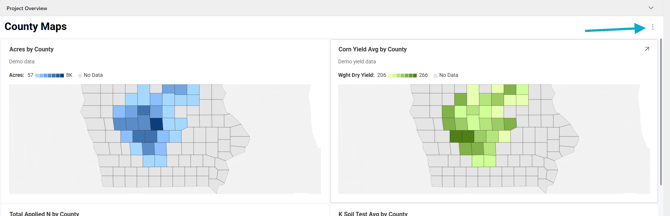
In a Project, you can explore the data by hovering and clicking on visuals. You can also expand a visual to full screen by clicking the arrow out in the top right of any visual
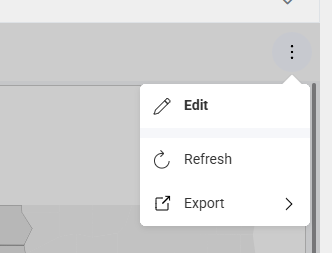
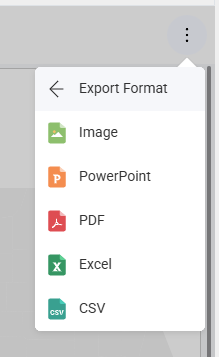
Use the 3 dot overflow menu on the right hand side to go into Edit mode, Refresh the page, or locate Export options
Ready to create your own Project and Visuals? Check out our other articles under Getting Started for more.