![PCS-Black-icon-1.png]](https://processes.premiercrop.com/hs-fs/hubfs/PCS-Black-icon-1.png?width=35&height=40&name=PCS-Black-icon-1.png)
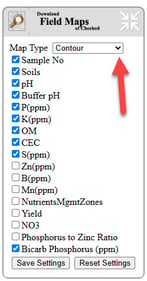
On the Prescription page, expand the options in Batch Download Field Maps of Checked button.

You will now see an option for Map Type.
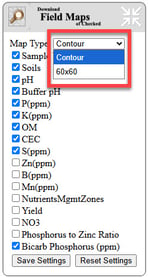
In the drop down, you have the option of Contour or 60'x60' soil sampling maps.
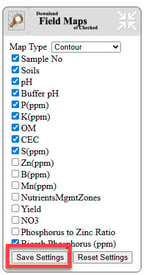
Make sure to select the "Save Settings" button to save your preference.
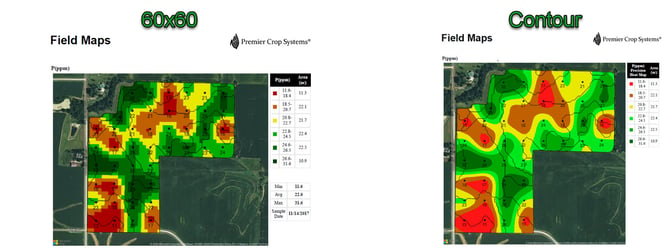
The difference looks like this:
If you have any questions, don't hesitate to ask your Advisor Support Representative.