![PCS-Black-icon-1.png]](https://processes.premiercrop.com/hs-fs/hubfs/PCS-Black-icon-1.png?width=35&height=40&name=PCS-Black-icon-1.png)
To reproduce this, create a query that includes 'Crop' and 'Planting Date - unique value' as dimensions, then include yield and acres as measures.
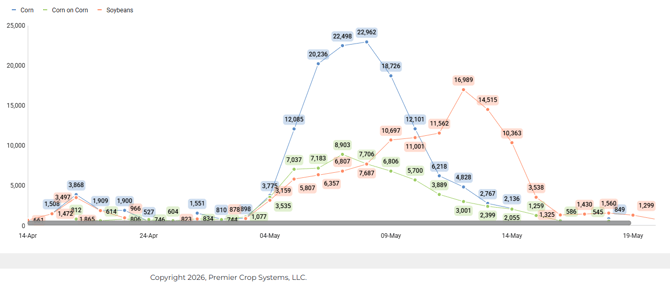
Add Acres as the value and Crop as the category.
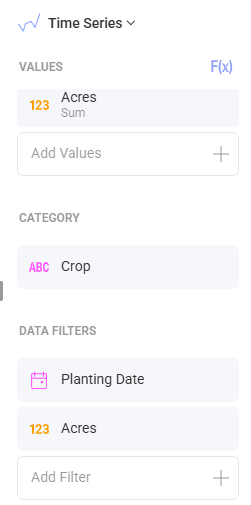
You can also utilize filters on your visual to get rid of some of the noise. For this visual, we added Acres to the filter and filtered out less than 500 acres planted each day. We also added date to the filter and put on a custom date filter to eliminate a few erroneous plant dates.
This same visual could be leveraged for other date attributes like Harvest Date. Consider submitting yield regularly and creating a harvested acres tracker to be updated throughout fall!