![PCS-Black-icon-1.png]](https://processes.premiercrop.com/hs-fs/hubfs/PCS-Black-icon-1.png?height=40&name=PCS-Black-icon-1.png)
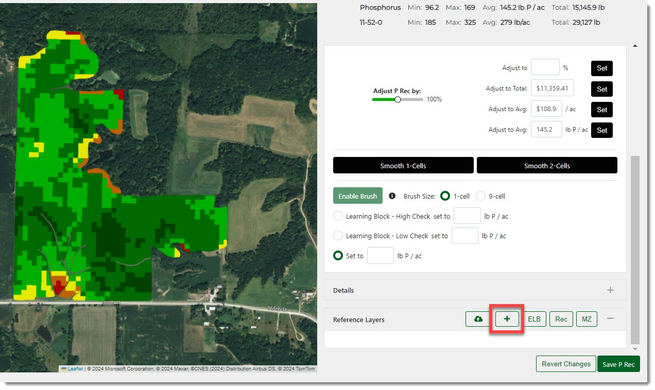
- Once on the Edit Nutrient Rec page, scroll down to the Reference Layers section and click the "+" button.
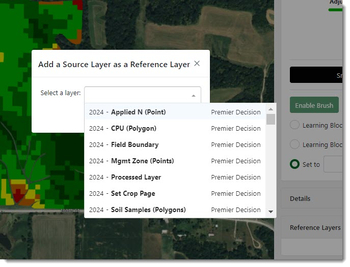
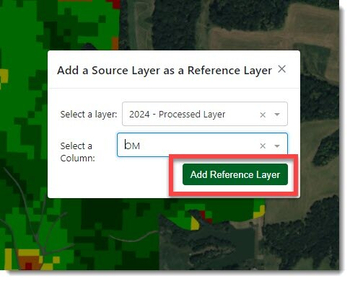
- You can now select which year and layer you would like to add.
- After selecting the Layer, then you will need to select the column or attribute to view on the map. This example would be for Organic Matter.
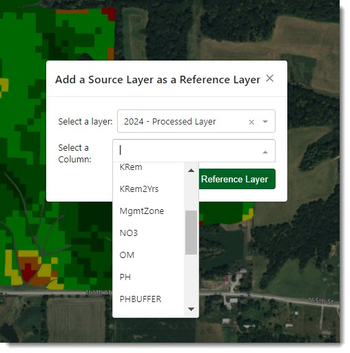
- Then click the "Add Reference Layer" button to add it to the map.
You can add multiple Reference Layers.
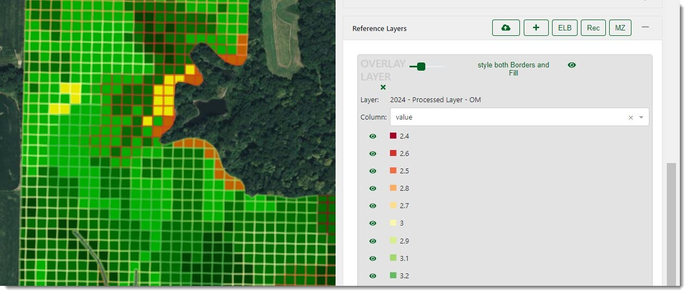
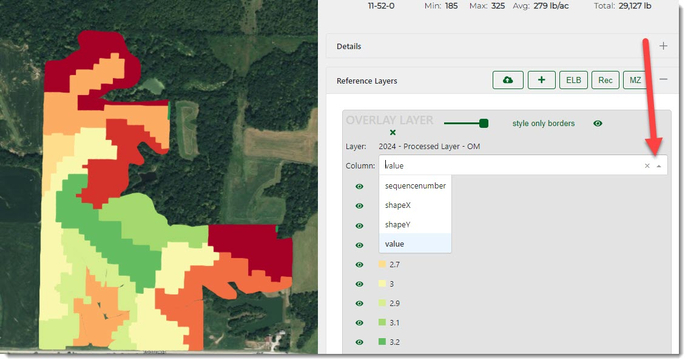
- If need be, choose a different "Column" within the processed layer to use:
- You can view your nutrient rec below the overlay by using the transparency slider, clicking the "style only borders" button, or clicking the eye to hide the overlay.
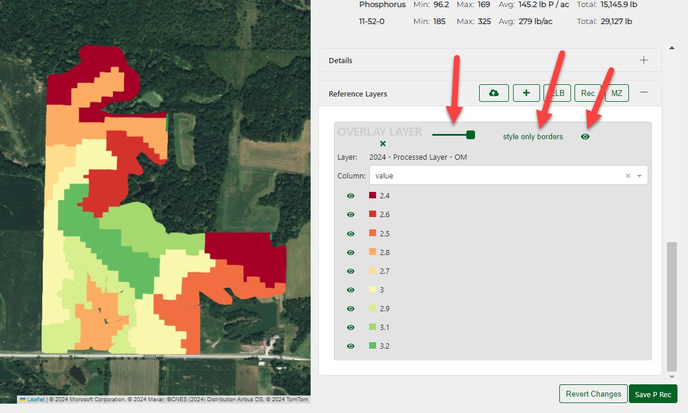
- You can now see your nutrient recommendation underneath.